Watch a test live and replay it
Watch a running test’s browser live from its page, watch-only, or replay a finished test’s browser for 30 days: play, scrub, change speed and jump to the failure. Who can do what, what a replay can’t show, and how passwords are kept out of both.
Every test runs in a browser of its own. While a test runs, you can watch that browser live; once it is over, you can replay it, to see how the page got to where it failed. Both open on the test’s page, beside its steps, and only when you click: nothing streams or loads before.
Watch a test live
Section titled “Watch a test live”-
Open a running test: from its run’s page, click the test, or open a run with a single test.
-
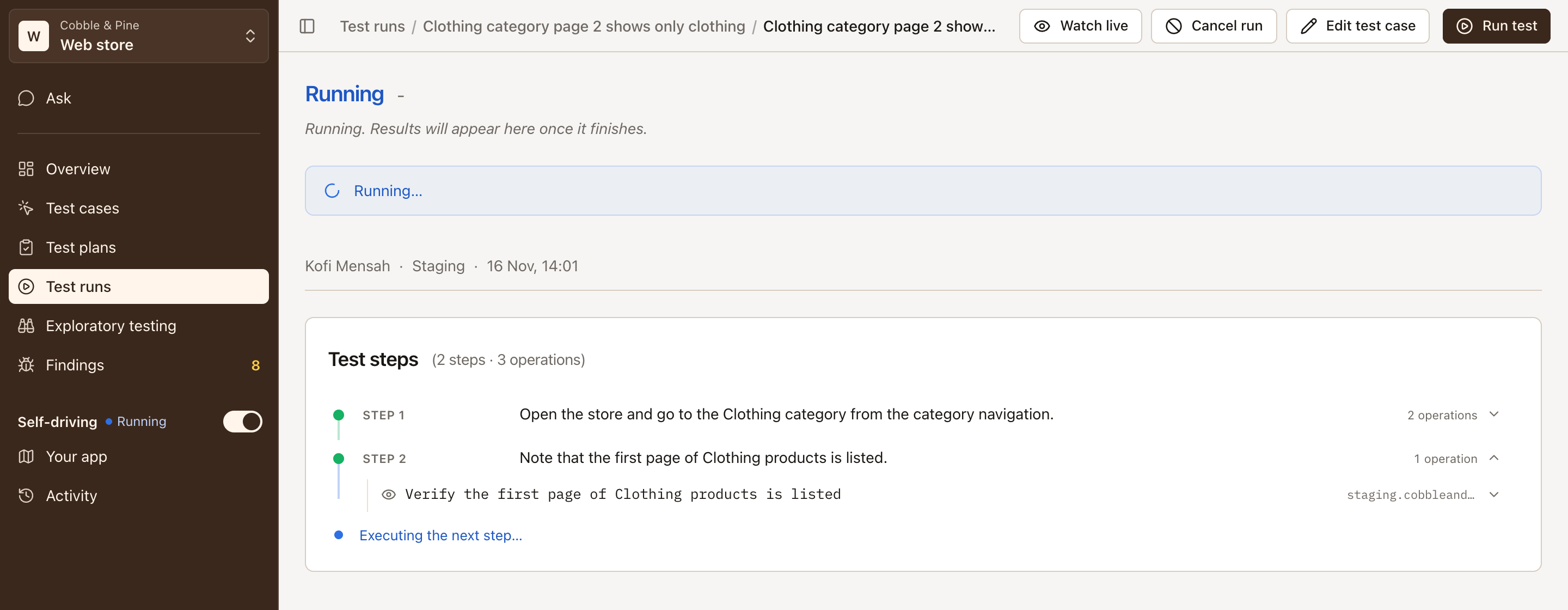
Click Watch live in the header.
The picture of the test’s browser opens beside the steps (above them on a narrow page), marked Live, and the steps go on filling in next to it. Larger shows it in a bigger window, with the step the test has reached under it, such as Reached Step 2: Open the cart. That is the last step known to be done: the browser may already be on the next. Close ends the live view.
- Who: whoever may start runs, the Editor role and above.
- When: once the test’s browser has signed in, or opened, for a test without a login. The sign-in itself is never shown live.
- Watch-only: nothing you click or type reaches the test. If watching would change something in the test’s browser, the live view closes and says so.
- One at a time: a test’s browser has one live view. When someone else is watching, the view says so and offers Try again.
- It follows the test: when the test finishes, the live view says so and closes, and the test can be replayed. When the test’s browser was closed and the test is tried again in a new one, the view offers to watch that one. Leaving the test’s page closes the view; coming back doesn’t open it again.
- A dropped stream is reconnected by itself.
The run’s line of facts says who watched it live, such as Watched live by Ines Moreau.
Replay a finished test
Section titled “Replay a finished test”Once a test is over, Replay in the header plays its browser back, from the first page to the end, in the same place beside the steps.
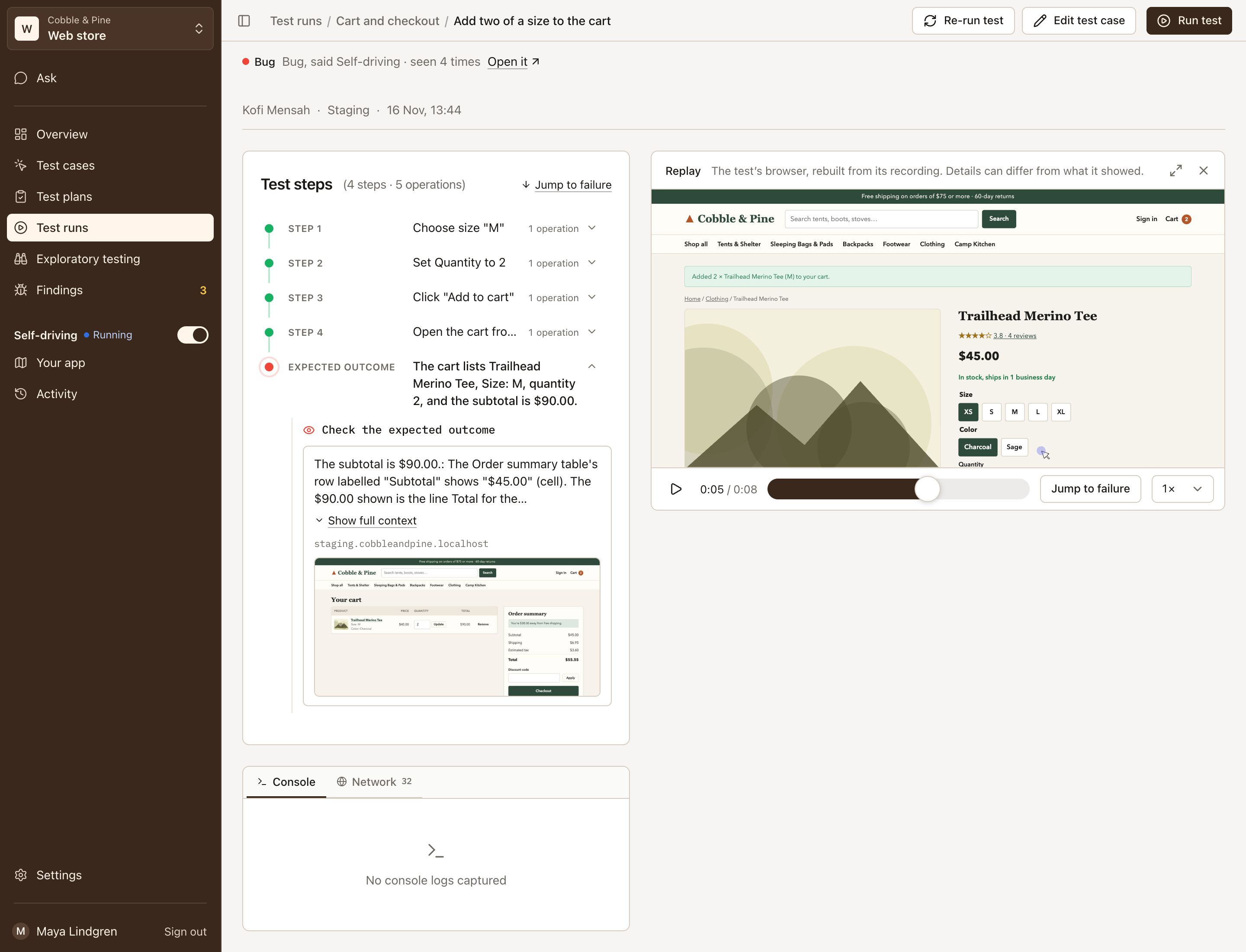
- Play and Pause, or click the picture.
- The scrubber moves through the test. On a failed test, a mark shows where the failed step began.
- Jump to failure goes to a moment before the failed step.
- Speed: 0.5×, 1×, 2× or 4×. Pauses in the test are played as they were.
- Larger shows it in a bigger window; Close ends it.
Every member of the project can replay a test, viewers included, for 30 days after it started.
The first replay of a test is prepared from its recording, which takes a few seconds; the page says Preparing the replay…. Right after a test ends, it may say The recording is still being written… for a moment. When there is no replay to show, it says why: the browser left no recording, the recording is too large, or it couldn’t be read or prepared, with Try again where another try can help.
What a replay can’t show
Section titled “What a replay can’t show”A replay is not a video. It is your site’s page rebuilt from what the browser recorded: the page’s content and every change to it. So:
- A canvas, a video and a frame of another site are missing, and now and then a field the page cleared by script shows its old value.
- Details can differ from what the browser showed, as the replay says beside it. The screenshot of the failed step stays the evidence of what the test saw.
- Your browser loads your site’s images, fonts and style sheets as the replay draws the page. Nothing else of the page runs: its scripts and event handlers are taken out, and the replay can’t send anything anywhere.
Passwords and privacy
Section titled “Passwords and privacy”- A live view starts after the sign-in, so no one watches the password being typed.
- In a replay, password fields show as bullets wherever their value would appear: on the page, as it was typed and in later changes. The password of the test’s login is taken out wherever else the recording holds it. The username stays readable, so the sign-in shows who signed in.
- Hidden field values and scripts are blanked, and the addresses of links and forms keep no query values, so a link with a token in it isn’t readable either.
- The raw recording never reaches a browser. Only Testmode’s worker reads it, to prepare the replay, and it is deleted after 30 days.
- The picture is left out of Testmode’s own session recordings of the app.
Still, a replay shows what the page showed. Give tests logins that can do no harm, and test accounts with no real customer data where you can. See Logins and automatic sign-in.
Common questions
Section titled “Common questions”Why is there no Watch live button?
Section titled “Why is there no Watch live button?”It shows on a test’s page while the test runs, for the Editor role and above, once the test’s browser has signed in (or opened, for a test without a login). A queued test, or one still signing in, has none yet.
Why is there no Replay button?
Section titled “Why is there no Replay button?”A replay is offered once a test is over, for 30 days after it started, when its browser session was recorded. Now and then a test runs on an unrecorded browser, and then it has no replay. Mappings and exploratory testing sessions are not recorded.
Can I click in the live view to help a test along?
Section titled “Can I click in the live view to help a test along?”No. The live view is watch-only: nothing you click or type reaches the test’s browser.